The Employment tab allows you to view and edit employment and work placement relationships between learners and organisations in bulk.
To edit employment records:
-
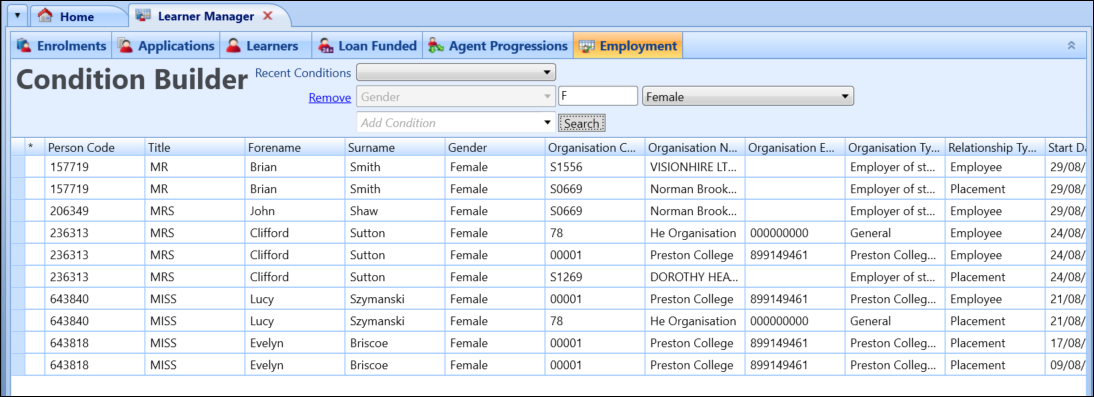
Use the Condition Builder to search for and display records.
-
Select in the relevant cell in the Condition Builder to edit the data.
Important.Only the Start Date, End Date, Include in Data Return and Organisation Confirmed fields can be edited.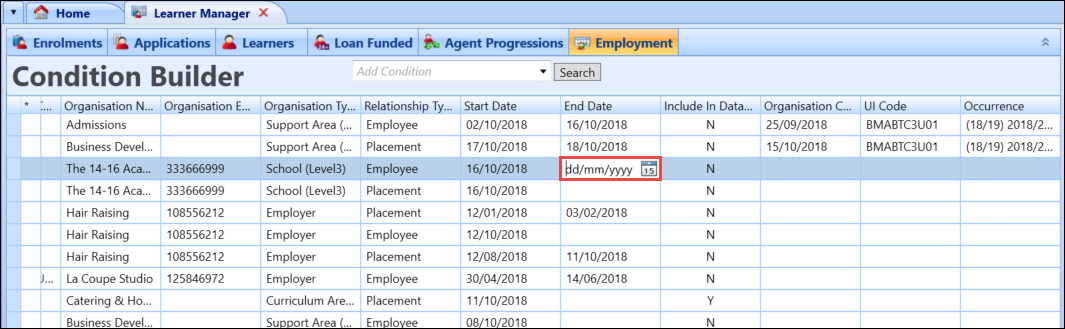
Valid edits to the data are highlighted in green. Where an edit results in invalid data, the field will be highlighted in red. If a cell in the UI Code column is yellow, it means the selected enrolment and work placement or employment dates do not overlap.
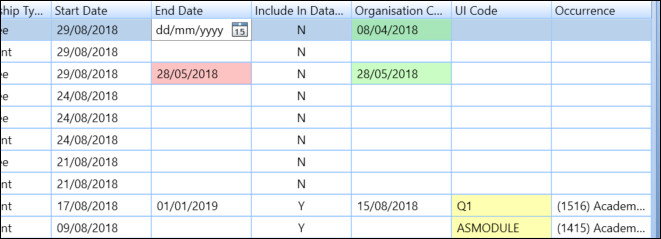
- Select Save to save the changes to the learner employments.